
How to Create a Website for Small Business — and Why the Approach Matters
There are two ways to build a house: alone, with prefabricated panels from a hardware store, or with a team that designs and builds to your exact requirements. Both work. But they don't work for the same needs, budgets, or time horizons. The decision of how to create a website follows exactly the same logic — and the wrong choice is expensive.
This post covers the concrete steps involved in creating any website and gives an honest assessment of the two main paths: DIY website builders (Wix, Squarespace, WordPress.com) versus working with an agency or developer.
The Steps Every Website Goes Through
Regardless of the approach, every website passes through the same core stages. The difference is who carries them out, with what depth, and with what level of control.
1. Register a domain — your site's address (yourcompany.com or .co.uk). Registered with an accredited registrar. One important detail: the domain should be registered in your name or your company's name — not the agency's. If you change providers, the domain remains yours.
2. Choose and configure hosting — the server space where your site's files live. Hosting quality directly affects speed, security, and reliability. Shared hosting at £2 per month and a properly configured cloud server with 99.9% uptime are fundamentally different products, and Google can tell the difference.
3. Design and structure — deciding how the site looks and how users navigate through it. With DIY builders, you select a template and edit it. With custom development, the site is designed from the ground up to fit the specific needs of the business.
4. Content — the text, images, and video. This is the most frequently underestimated component. Well-written content works for SEO and for conversion simultaneously. Generic filler content does neither.
5. On-page SEO setup — meta titles and descriptions for every page, a correct heading structure (H1, H2, H3), internal links between pages, Schema markup (structured data readable by Google), an XML sitemap, and robots.txt. These settings are invisible to the visitor but decisive for Google.
6. Testing before launch — checking mobile behaviour, load speed, contact forms, accessibility, and working links. Google's own guidance recommends testing with real mobile traffic, since over 60% of web traffic now comes from mobile devices.
7. Launch and monitoring — activating the site and connecting it to Google Search Console and Google Analytics. Both tools are free and necessary. Without them, you have no way of knowing whether the site is being indexed correctly or where your visitors are coming from.
DIY Builders: When They Work and When They Don't
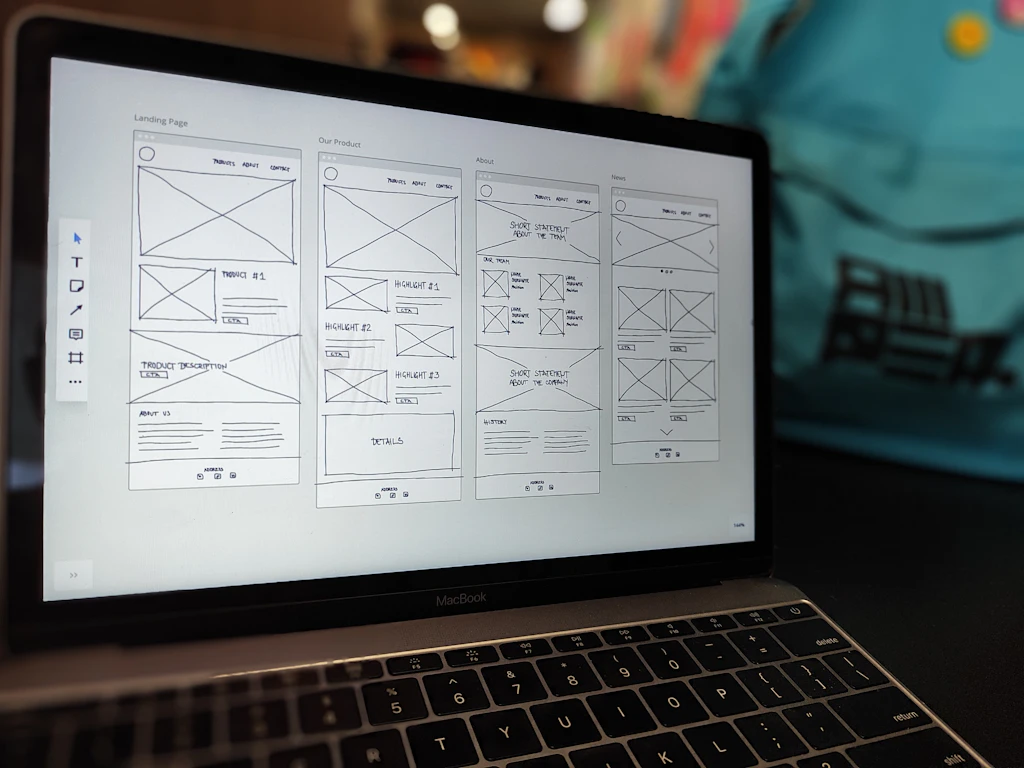
Wix, Squarespace, and WordPress.com are legitimate options for certain scenarios. They are not for everyone.
Their market presence is substantial. According to Statista, WordPress (including WordPress.org) holds around 68% of the content management system market globally. In the pure DIY builder segment, Wix holds close to 45% market share and Squarespace around 18%, per data from SiteBuilderReport.
Their advantage is speed to launch and low initial cost. The disadvantage is technically measurable. DebugBear — a specialist web performance platform that runs systematic tests on popular website builders — found that Squarespace requires the browser to download and execute more than 600 KB of JavaScript before loading the main image on a page. Wix performs better on desktop, but on mobile its average Lighthouse score sits around 62. A score above 90 is considered good. Custom-built sites, developed with performance optimisation, routinely score above 95.
This difference is not cosmetic. Google officially includes Core Web Vitals — measures of real user experience during page load — as a ranking factor in search results.
DIY builders work well for: a personal portfolio, a temporary placeholder page at launch, a hobby project, or a business with a very constrained budget where any online presence is better than none.
They work less well for: businesses that depend on organic search for new customers; sites with more complex functionality; businesses planning to grow and expecting the site to grow with them.
Custom Development: The Advantages and the Trade-offs

A custom site — built by a developer or agency — gives full control. The structure, code, hosting environment, and SEO configuration are designed for the specific business, not constrained by the logic of a builder platform.
The technical advantage is real. Custom-built sites can achieve Lighthouse scores above 95, load times under 100 milliseconds, and WCAG 2.1 AA accessibility compliance — the accessibility standard required for public sector organisations by EU legislation, and an increasingly important quality signal in search rankings.
The trade-off is cost and time. A well-built custom site for a small business typically ranges from around €800 to €3,000 at a Central or Eastern European agency, depending on scope. UK and Western European agencies generally start higher. Build time ranges from a few days for a simple site to several weeks for something more complex.
Hybrid models also exist, where custom code and design are combined with a manageable CMS layer — giving the business owner a straightforward way to update content without sacrificing the technical quality underneath.
A Framework for Deciding: Which Approach Is Right for You
The choice is not a matter of principle. It is a matter of specific conditions. Three questions clarify it.
Do you rely on organic search to acquire new customers? If yes — invest in custom development with proper SEO setup from the start. Technical quality is a prerequisite for visibility in Google. A weak technical foundation creates a ceiling on what SEO can achieve.
What is your time horizon? If you plan for the business to grow and expect the site to grow with it, start with a foundation that allows for that development. DIY templates have a technical ceiling, and migrating away from them later is costly.
Do you have the capacity to maintain it? A website is not a one-time expense. It requires regular updates, security monitoring, and content changes. If you don't have internal capacity for that, choose a provider where maintenance is included in the agreement.
A site built correctly the first time is an investment. A site built cheaply and rebuilt eighteen months later is an expense paid twice.
To understand what a website actually consists of and how it differs from a social media page as a business tool, read what is a website — the complete guide for business owners.